Transaction register and reporting
Transactions at the POS
All the transactions are registered in an electronic journal.
At each POS you can view the daily journal to see the transactions for that terminal.
All transactions at head office
In a multiple terminal / multi-store environment the transactions will be replicated to the head office. At the head office you are able to view all the transactions from all stores and terminals.
In the Site Manager ribbon go to Sites > [Fiscalization] Transactions
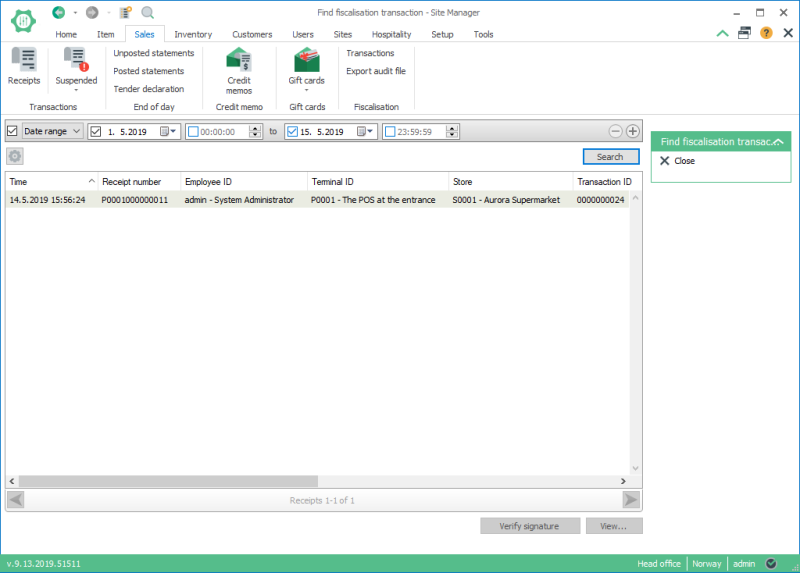
You can verify the signature for each of the transactions by selecting it and pressing the Verify signature button. You can also view a transaction by double clicking it or selecting it and pressing the View... button.
There you can filter the list of transactions, by date, stores, terminals etc.
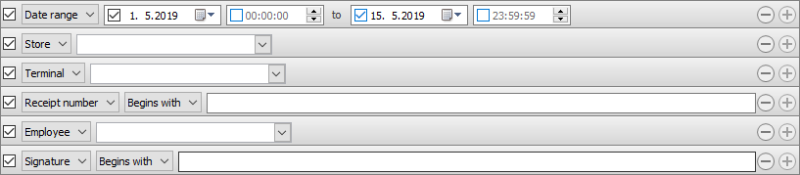
Use the  button to add to your search criteria.
Reporting - Exporting the audit file
To export a tax audit file you go to Sales > [Fiscalization] Export audit file
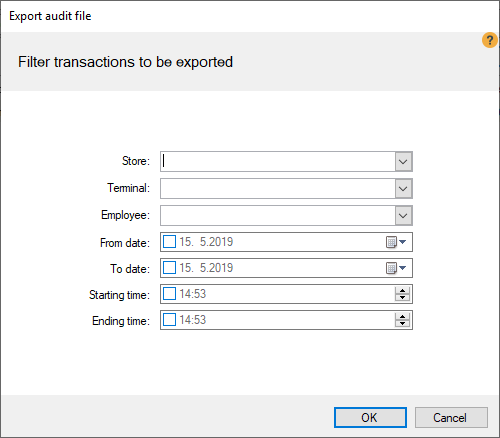
In the Export audit file dialog you can select filters to apply to your export. The exported transactions can be filtered by store, terminal, employees and/or dates and time.

You need to make sure that you have setup the basic ID's before viewing the transactions in the Transaction view and exporting the audit file.

